Ethernet vs Wi-Fi: Which Internet Setup Is Better?
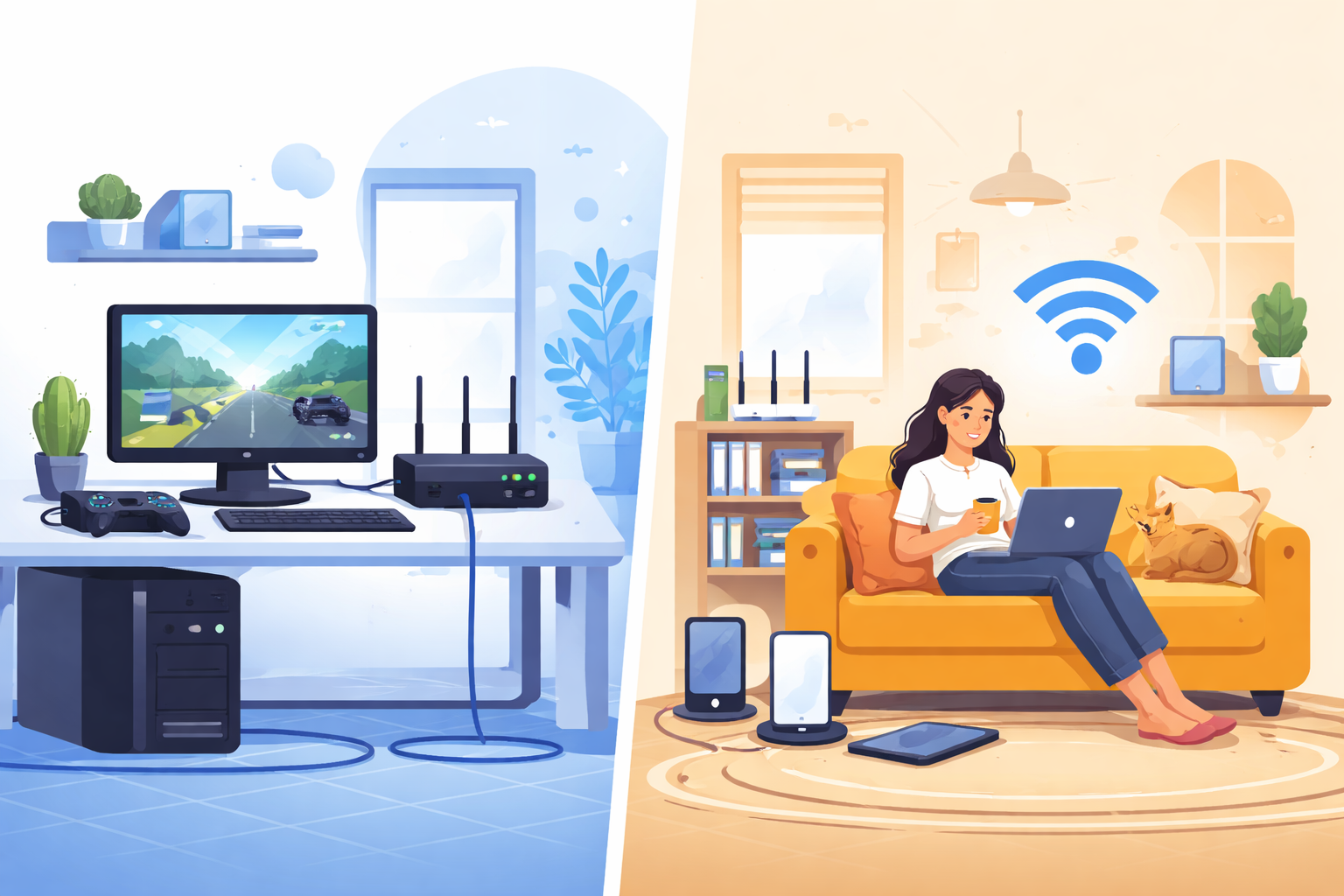
Choosing between Ethernet and Wi-Fi can directly impact your internet speed, reliability, and overall experience. Whether you’re working from home, gaming competitively, or simply streaming your favorite shows, understanding the difference helps you get the most out of your connection.
In simple terms, Ethernet delivers consistent speed and low latency through a wired connection, while Wi-Fi offers flexibility and convenience without cables. The right choice depends on how you use the internet daily—and in many cases, a mix of both is the smartest setup.
If you’re unsure how your network type affects performance, understanding the basics of how ethernet works with internet can help you make a more informed decision.
Ethernet vs Wi-Fi: Key Differences Explained
Before diving deeper, it’s important to understand what sets these two connection types apart.
Ethernet (Wired Connection): Uses physical cables to connect devices directly to your router or modem
Wi-Fi (Wireless Connection): Transmits data through radio signals without cables
Each has its strengths, and the best option depends on your priorities—speed, mobility, or stability.
Advantages of Using Ethernet
Ethernet is often considered the gold standard for performance. If you prioritize speed and reliability, this is where it shines.
Consistent and Stable Performance
One of Ethernet’s biggest advantages is its consistency. Unlike Wi-Fi, which can fluctuate due to interference or distance, Ethernet provides a stable connection from start to finish.
There are no walls, devices, or neighboring networks affecting your signal. As a result, you get predictable speeds and fewer disruptions—ideal for demanding tasks.
Faster Speeds for High-Performance Tasks
Ethernet cables, especially newer categories like Cat6 and Cat7, can support extremely high speeds. While most home internet plans cap at around 1 Gbps, Ethernet ensures you’re getting as close to your subscribed speed as possible.
This makes it perfect for:
Competitive online gaming
4K and 8K video streaming
Large file transfers
Remote work involving cloud applications
Lower Latency for Gaming and Calls
Latency refers to how quickly data travels between your device and the server. Ethernet connections significantly reduce lag, which is critical for:
Online multiplayer games
Video conferencing
Real-time collaboration tools
With Ethernet, you avoid the common Wi-Fi issues like signal drops and inconsistent ping spikes.
Improved Security
Since Ethernet requires a physical connection, it’s inherently more secure than Wi-Fi. There’s no wireless signal for outsiders to intercept, making it harder for unauthorized users to access your network.
While no system is completely immune, Ethernet minimizes exposure to common wireless vulnerabilities.
Easier Troubleshooting
When something goes wrong, diagnosing Ethernet issues is straightforward. You can quickly identify whether the problem is the cable, port, or device—unlike Wi-Fi, where interference and signal strength complicate troubleshooting.
Advantages of Using Wi-Fi
Wi-Fi dominates modern connectivity for one simple reason: convenience. It allows you to stay connected without being tied to a physical location.
Wireless Freedom and Mobility
Wi-Fi lets you use your devices anywhere within your network range. Whether you’re working from your couch, watching videos in bed, or using your phone around the house, mobility is unmatched.
This is especially important for:
Smartphones and tablets
Laptops and portable devices
Smart home systems
Wide Device Compatibility
Almost every modern device supports Wi-Fi by default. From gaming consoles and smart TVs to refrigerators and IoT devices, wireless connectivity is the standard.
Unlike Ethernet, you don’t need extra adapters or ports—everything connects instantly.
Supports Multiple Devices Easily
A single Wi-Fi router can handle dozens of devices at once. This makes it ideal for households with multiple users and connected gadgets.
From streaming and gaming to smart home automation, Wi-Fi keeps everything connected without additional hardware.
Clean and Clutter-Free Setup
No cables, no drilling, no complicated installations. Wi-Fi keeps your space clean and organized.
In contrast, Ethernet setups can quickly become messy with cables running along walls, floors, or behind furniture—especially when connecting multiple devices.
Flexible for Everyday Use
Wi-Fi is perfect for casual internet activities like browsing, streaming, and social media. If your usage doesn’t require ultra-low latency or maximum speed, Wi-Fi offers more than enough performance.
For example, streaming content or enjoying features like watching netflix with friends remotely works seamlessly over a stable wireless connection.
When Should You Choose Ethernet?
Ethernet is the better option when performance matters most.
Best Use Cases for Ethernet
Online gaming with minimal lag
Remote work requiring stable connections
Streaming high-resolution content without buffering
Uploading or downloading large files
Connecting desktop PCs or stationary devices
If your device stays in one place, Ethernet is usually the smarter choice.
When Should You Choose Wi-Fi?
Wi-Fi is ideal when flexibility and convenience are your priorities.
Best Use Cases for Wi-Fi
Mobile devices like phones and tablets
Smart home devices and IoT systems
Casual browsing and streaming
Households with multiple users
Areas where running cables isn’t practical
For most everyday users, Wi-Fi provides the balance of performance and ease of use.
Can You Use Both Ethernet and Wi-Fi Together?
Yes—and in many cases, this is the best setup.
A hybrid network allows you to:
Use Ethernet for high-priority devices (gaming PCs, workstations)
Use Wi-Fi for mobile and secondary devices
This approach ensures maximum performance without sacrificing convenience.
Common Factors That Affect Your Choice
Before deciding, consider these key factors:
Internet Usage
Heavy users benefit from Ethernet, while casual users are fine with Wi-Fi.
Home Layout
Large homes with thick walls may experience weaker Wi-Fi signals, making Ethernet or mesh systems more effective.
Number of Devices
More devices can strain Wi-Fi networks, while Ethernet provides dedicated bandwidth per connection.
Budget and Setup
Ethernet may require additional cables or installation, while Wi-Fi is ready out of the box.
Final Thoughts: Ethernet or Wi-Fi?
There’s no one-size-fits-all answer. Ethernet offers unmatched stability, speed, and security, while Wi-Fi delivers convenience, flexibility, and ease of use.
For most homes, the best solution is a combination of both—wired connections where performance matters and wireless access where mobility is needed.
If you’re upgrading your setup, focus on your daily habits. The right choice isn’t about what’s “better” overall—it’s about what works best for how you use the internet.
Related Posts
 Broadband Deals
cheap internet plans
Broadband Deals
cheap internet plans
Spectrum Internet Cost After 12 Months Explained
Learn how much Spectrum Internet costs after promotional pricing ends. Discover standard rates, billing factors, and ways to reduce monthly costs.
 Internet Bundles
Broadband Deals
Internet Bundles
Broadband Deals
Best Rural Internet Providers to Keep You Connected in 2026
Discover the best rural internet providers in 2026. Compare Xfinity, CenturyLink, and Viasat by speed, pricing, reliability, and coverage.
 Broadband Deals
cheap internet deals
cheap internet plans
Broadband Deals
cheap internet deals
cheap internet plans
Portland ISP Providers: How to Find the Best Internet Service
Compare Portland ISP providers, internet speeds, pricing, and availability. Learn how to choose the best internet service for your home or business.
 Internet Bundles
AT&T Business Internet: Plans, Speeds & Benefits Explained
Learn everything about AT&T Business Internet, including plans, speeds, fiber availability, pricing, features, equipment, and how to choose the best option.
 Broadband Deals
Internet Bundles
Broadband Deals
Internet Bundles
Comcast TV and Internet Bundles: Are They Still Worth It
Explore Comcast TV and internet bundles in 2026. Compare benefits, costs, package options, and discover whether a bundled plan fits your needs.