What Is Background Data Usage? Pros and Cons Explained
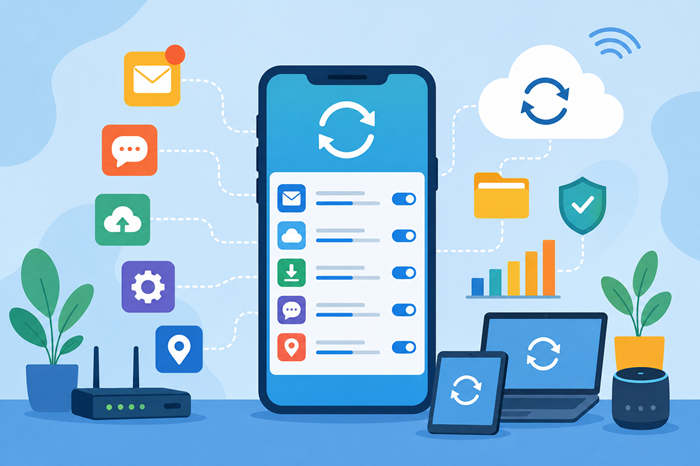
In today’s connected world, smartphones and devices are constantly exchanging information online, even when you’re not actively using them. This hidden activity is known as background data usage, and it plays a major role in how apps function, update, and stay connected.
Many users notice unexpected data consumption on their monthly internet or mobile plans without understanding where the data went. Learning how background data works can help you manage your internet usage, reduce unnecessary consumption, and choose the right connectivity plan for your needs.
Whether you’re trying to save mobile data, improve battery life, or better understand your internet habits, this guide explains everything you need to know about background data usage, including its benefits, drawbacks, and how to control it effectively.
What Is Background Data Usage?
Background data usage refers to internet data consumed by apps and services when they are not actively open on your screen. Even when you’re not using an application, it may continue communicating with servers in the background to perform various tasks.
These tasks can include:
Syncing emails
Updating social media feeds
Downloading app updates
Refreshing weather information
Backing up files to cloud storage
Sending notifications
Synchronizing contacts and calendars
For example, if you receive a new email notification without opening your email app, that app has likely used background data to check for new messages.
This behind-the-scenes activity helps apps deliver a seamless user experience, but it can also contribute significantly to monthly data consumption.
How Background Data Works
When an app is installed on your device, it may receive permission to access the internet whenever necessary. Instead of waiting for you to open the app, it periodically connects to online servers to retrieve updated information.
Common Background Activities
Several everyday functions rely on background data:
Push Notifications
Messaging apps continuously communicate with servers to notify you about new messages, calls, or updates.
Cloud Synchronization
Services such as photo backups automatically upload files whenever an internet connection becomes available.
Automatic Updates
Apps often download updates or content packages without user interaction.
Location Services
Navigation and weather apps may periodically refresh location-based information.
These activities improve convenience but can increase overall data usage over time.
Why Background Data Usage Matters
Understanding how your devices consume data is essential for managing monthly internet expenses and avoiding unexpected slowdowns.
Many users underestimate how much data apps consume when running silently in the background. Monitoring these activities can help identify data-hungry applications and optimize device performance.
If you’re unsure how much data your household actually needs, an online data usage calculator can provide a useful estimate based on your streaming, browsing, gaming, and work habits.
Pros of Background Data Usage
While background activity often gets a bad reputation, it provides several important benefits.
Faster Access to Information
Apps can preload content before you open them. This means social media feeds, news articles, and messages appear quickly instead of loading from scratch.
Real-Time Notifications
Without background data, many notifications would be delayed until you manually opened the application.
This is especially important for:
Messaging platforms
Email services
Banking alerts
Security notifications
Work collaboration tools
Automatic Data Backup
Background syncing helps protect valuable information by continuously backing up photos, videos, documents, and contacts to cloud services.
Improved User Experience
Many modern apps rely on background communication to deliver a smooth and uninterrupted experience.
Instead of waiting for updates, users receive fresh content automatically.
Better Device Synchronization
Background processes keep information consistent across multiple devices, ensuring your data remains updated everywhere you log in.
Cons of Background Data Usage
Despite its benefits, background activity can create challenges for users with limited data plans or slower internet connections.
Increased Data Consumption
One of the biggest disadvantages is hidden data usage.
Apps may consume data throughout the day without your knowledge, contributing significantly to monthly internet usage.
To understand your actual consumption patterns, learning how to use a data usage calculator can help you estimate and monitor your monthly requirements more accurately.
Reduced Battery Life
Apps communicating with servers require power.
Frequent syncing, refreshing, and updating can cause batteries to drain faster than expected.
Slower Network Performance
Multiple applications accessing the internet simultaneously may reduce available bandwidth for activities such as streaming, gaming, or video conferencing.
Potential Privacy Concerns
Some apps continuously collect usage data, location information, and behavioral insights while running in the background.
Users should regularly review app permissions and privacy settings.
Unexpected Mobile Charges
For individuals using limited mobile data plans, excessive background activity can lead to additional charges or throttled internet speeds.
Understanding Background Data Usage on Android
Many Android users specifically search for information regarding background data usage android because Android devices provide detailed controls over app-level data consumption.
Android allows users to:
View app-specific data usage
Restrict background activity
Enable data-saving modes
Limit data access while roaming
Monitor monthly usage patterns
These controls make it easier to identify which apps consume the most data behind the scenes.
How to Check Background Data Usage
Most smartphones include built-in monitoring tools.
On Android Devices
Open Settings.
Select Network & Internet.
Tap Data Usage.
Choose App Data Usage.
Review data consumption by application.
On iPhone
Open Settings.
Select Cellular.
Scroll through the list of apps.
Review individual data usage statistics.
Regular monitoring can help identify apps consuming excessive data.
How to Reduce Background Data Usage
Reducing unnecessary background activity can save both data and battery life.
Disable Background Refresh for Certain Apps
Not every application requires continuous internet access.
Restricting background activity for non-essential apps can significantly reduce consumption.
Use Data Saver Mode
Most smartphones offer built-in data-saving features that limit background communications.
Turn Off Automatic Updates
Configure app stores to update applications only when connected to Wi-Fi.
Limit Cloud Backups
Large photo and video backups can consume substantial amounts of data.
Scheduling backups for Wi-Fi connections can help reduce mobile usage.
Review App Permissions
Remove internet access or background permissions from apps that do not require them.
How Background Data Affects Internet Plan Selection
Your internet usage habits should influence the type of internet plan you choose.
Households with numerous connected devices often experience continuous background activity from smartphones, tablets, smart TVs, gaming consoles, and smart home devices.
When evaluating the best internet providers, it’s important to consider not only download speeds but also data allowances, reliability, and network performance during peak usage periods.
Heavy users may also benefit from reviewing the best cheap internet plans for heavy data users to ensure they select a plan capable of handling continuous background activity and multiple connected devices.
Comparing Background Data Across Popular Apps
Not all apps consume data equally.
Streaming services, social media platforms, cloud storage tools, and video conferencing applications often use significantly more background data than basic productivity apps.
Understanding these differences is easier when you’re comparing data usage across apps and services, allowing you to make informed decisions about which apps deserve unrestricted background access.
Background Data and Mobile Data Planning
Mobile users often face stricter data limitations than home internet users.
Estimating monthly requirements can prevent overage fees and improve budgeting.
A helpful approach is using a mobile data usage calculator to evaluate how background syncing, streaming, browsing, and app activity contribute to total monthly consumption.
Popular Internet Plans Often Chosen by Data-Heavy Users
Consumers frequently compare various internet services when dealing with high levels of background data activity. Some commonly researched options include xfinity unlimited data plan, at&t fiber 500, t-mobile home internet, spectrum internet ultra, and verizon 5g home internet.
Each service offers different speed tiers, data policies, and pricing structures, making it important to evaluate your household’s actual usage before selecting a plan.
Best Practices for Managing Background Data
To maintain efficient internet usage:
Monitor data usage monthly.
Restrict unnecessary app permissions.
Enable Wi-Fi whenever possible.
Disable background activity for rarely used apps.
Schedule updates during off-peak hours.
Review cloud backup settings regularly.
Use data-saving features when traveling.
These simple habits can reduce unnecessary consumption while preserving app functionality.
Conclusion
Background data usage is an essential part of modern digital life. It powers notifications, cloud backups, app updates, and real-time synchronization that make smartphones and connected devices convenient to use.
However, excessive background activity can increase data consumption, reduce battery life, and contribute to unexpected internet costs. By understanding how background data works and taking advantage of available monitoring tools, users can strike the right balance between convenience and efficiency.
Whether you’re managing a mobile data plan or selecting a home internet package, keeping track of background activity helps you make smarter decisions and avoid unnecessary usage surprises.
FAQs
What is background data usage?
Background data usage is internet data consumed by apps while running in the background without active user interaction.
Is background data usage harmful?
No, but excessive background activity can increase data consumption and battery usage.
Can I turn off background data?
Yes, most Android and iPhone devices allow users to restrict background data for specific apps.
Does background data affect internet speed?
It can reduce available bandwidth when multiple apps are using data simultaneously.
How can I reduce background data usage?
Enable data saver settings, restrict app permissions, and disable unnecessary background refresh features.
Related Posts
 Broadband Deals
cheap internet deals
cheap internet plans
Broadband Deals
cheap internet deals
cheap internet plans
Portland ISP Providers: How to Find the Best Internet Service
Compare Portland ISP providers, internet speeds, pricing, and availability. Learn how to choose the best internet service for your home or business.
 Internet Bundles
AT&T Business Internet: Plans, Speeds & Benefits Explained
Learn everything about AT&T Business Internet, including plans, speeds, fiber availability, pricing, features, equipment, and how to choose the best option.
 Broadband Deals
Internet Bundles
Broadband Deals
Internet Bundles
Comcast TV and Internet Bundles: Are They Still Worth It
Explore Comcast TV and internet bundles in 2026. Compare benefits, costs, package options, and discover whether a bundled plan fits your needs.
 cheap internet offers
How to Manage Dish Network Internet Data
Learn how to monitor and manage Dish Network Internet data usage with simple tools, smart tips, and optimization strategies to avoid overages.
 cheap internet offers
Broadband Deals
cheap internet offers
Broadband Deals
How to Decode Your Internet Bill and Spot Hidden Fees
Learn how to read your internet bill, identify hidden fees, challenge unnecessary charges, and lower your monthly internet costs with confidence.