10 Smartphone Security Tips to Protect Your Data
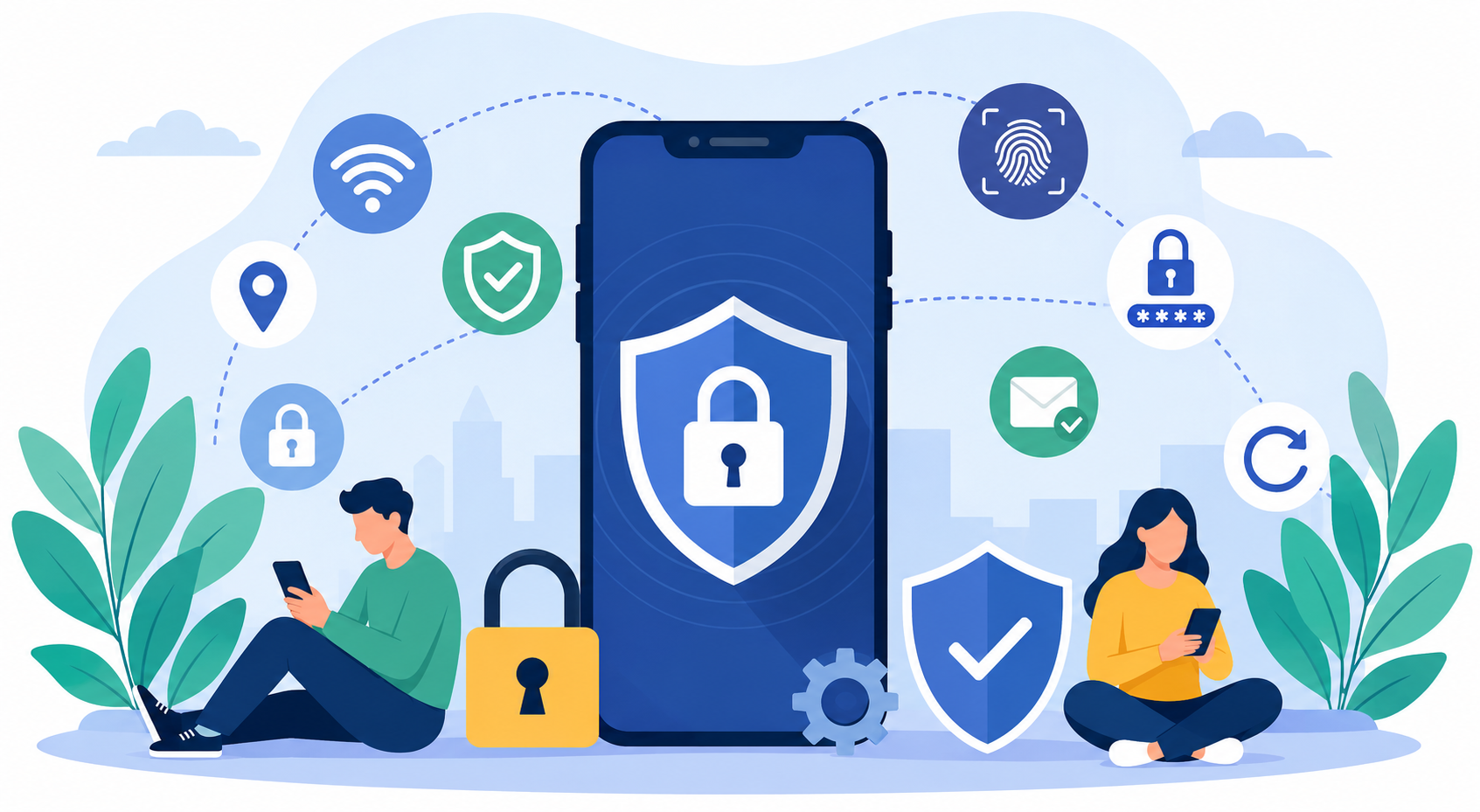
Smartphones have become the center of modern life. From banking apps and work accounts to family photos and private conversations, almost everything important is stored on one device. That convenience makes smartphones a major target for hackers, scammers, and cybercriminals looking for easy access to personal information.
The good news is that improving smartphone security does not require advanced technical knowledge. A few smart habits, updated settings, and better awareness can dramatically reduce your risk. Whether you use an iPhone or Android device, these smartphone security tips can help keep your personal data protected from threats, malware, and unauthorized access.
Why Smartphone Security Matters More Than Ever
Most people think cybersecurity threats only affect businesses or computers. In reality, smartphones are now one of the most common targets for cyberattacks because they hold sensitive personal and financial information.
A compromised smartphone can expose:
Banking information
Saved passwords
Emails and private messages
Social media accounts
Work files
Personal photos and videos
Location history
Once hackers gain access to your device, recovering stolen data can become difficult and expensive. That is why taking preventive action early is one of the smartest decisions any smartphone user can make.
1. Download Apps Only From Trusted Sources
One of the easiest ways malware enters smartphones is through fake or compromised applications. Installing apps from unknown websites or unofficial stores increases the risk of downloading hidden spyware, ransomware, or malicious software.
Always use official app marketplaces such as:
Apple App Store
Google Play Store
Microsoft Store
These platforms still require caution, but they have stronger security screening compared to random third-party download sites.
Review App Permissions Carefully
Before installing any app, review the permissions it requests. A flashlight app should not need access to your contacts, microphone, or location.
Pay attention to suspicious permission requests like:
Access to text messages
Full contact list access
Background microphone usage
Camera access unrelated to the app’s function
Restrict unnecessary permissions inside your phone settings whenever possible.
Check Ratings and Reviews
User reviews often reveal problems before security experts officially identify them. If users mention aggressive ads, suspicious behavior, crashes, or hidden charges, avoid installing the app.
2. Avoid Rooting or Jailbreaking Your Device
Rooting Android devices or jailbreaking iPhones removes built-in operating system restrictions. While this allows deeper customization, it also weakens critical security protections designed to keep your device safe.
Once your phone is rooted or jailbroken:
Security patches may stop working properly
Banking apps may become vulnerable
Malware can gain elevated access
Warranty support may become invalid
Cybercriminals specifically target modified devices because they are easier to exploit.
Increased Risk of Malware Attacks
Many forms of mobile malware are designed to attack rooted or jailbroken phones because system protections are already bypassed. Even if customization sounds appealing, the security risks usually outweigh the benefits.
Keeping your operating system untouched is one of the safest ways to maintain long-term smartphone security.
3. Install Reliable Mobile Security Software
Mobile malware continues to grow every year, especially on Android devices. Security apps help detect malicious files, phishing attempts, fake websites, and suspicious downloads before they cause damage.
Reliable mobile security apps can provide:
Real-time malware protection
Web browsing protection
App scanning
Anti-phishing alerts
Identity monitoring
Wi-Fi security checks
Many users strengthen their mobile protection by using trusted antivirus solutions like the advanced iPhone mobile security protection from McAfee, especially for browsing, email security, and identity monitoring.
Keep Security Apps Updated
Installing antivirus software is only effective if it stays updated. Cyber threats evolve constantly, and outdated security software may fail to recognize newer attacks.
Enable automatic updates whenever possible to ensure continuous protection.
4. Turn Off Bluetooth and Wi-Fi When Not Needed
Wireless connections improve convenience, but they also create additional entry points for attackers.
Leaving Bluetooth enabled at all times can expose your device to unauthorized pairing attempts or tracking methods. Similarly, automatically connecting to public Wi-Fi networks increases your exposure to data interception attacks.
Public Wi-Fi Can Be Risky
Hackers often create fake public Wi-Fi hotspots in locations like:
Airports
Coffee shops
Hotels
Shopping centers
Once connected, attackers may intercept passwords, emails, or financial information.
If you must use public Wi-Fi:
Avoid banking transactions
Use a VPN
Disable automatic network joining
Disconnect immediately after use
Turning off Bluetooth and Wi-Fi when inactive improves both security and battery life.
5. Strengthen Your Lock Screen Protection
Your lock screen acts as the first barrier between your data and unauthorized access. Weak passwords remain one of the biggest smartphone security mistakes users make.
Avoid predictable passcodes like:
1234
0000
Birthdays
Repeating numbers
Instead, use strong authentication methods.
Use Biometric Authentication
Modern smartphones include secure biometric options such as:
Fingerprint recognition
Face ID
Facial recognition
Biometrics make unauthorized access significantly more difficult while still keeping your device convenient to unlock.
Enable Auto-Lock Features
Set your phone to automatically lock after a short period of inactivity. This minimizes the risk of someone accessing your phone if it is lost or left unattended.
6. Manage Your Location Settings Carefully
Location tracking helps with navigation and local services, but it also shares sensitive information about your daily routines and movements.
Many apps collect location data even when not actively in use.
Limit Location Access
Review which apps have permission to access your location and remove access for apps that do not require it.
Most smartphones allow you to choose between:
Always allow
Allow while using app
Never allow
For better privacy, choose “Allow While Using App” whenever possible.
Disable Geotagging for Photos
Photos often contain hidden metadata called geotags, which reveal where images were taken. Sharing photos online with geotags enabled may unintentionally expose your home, workplace, or travel habits.
Turning off geotagging adds another layer of privacy protection.
7. Wipe Your Phone Before Selling or Donating It
Old smartphones often contain years of personal information. Simply deleting files is not enough to fully erase sensitive data.
Before selling, donating, or recycling your device:
Back up important files
Log out of all accounts
Remove SIM and memory cards
Perform a factory reset
Verify data has been erased
Encrypt Data Before Resetting
Many devices already encrypt data automatically, but verifying encryption before resetting adds extra protection against data recovery attempts.
This simple process prevents future owners from accessing personal information left behind on the device.
8. Enable Anti-Theft and Device Tracking Features
Losing your smartphone creates both financial and privacy risks. Fortunately, modern smartphones include built-in recovery and remote protection features.
Use “Find My” Features
Apple and Android both provide location tracking tools:
Find My iPhone
Find My Device
These features allow you to:
Locate your phone remotely
Play a sound
Lock the device
Display contact information
Erase all data remotely
Remote Wipe Adds Extra Protection
If your phone cannot be recovered, remote wipe functionality ensures your personal information does not fall into the wrong hands.
Always activate anti-theft features before you actually need them.
9. Use Two-Factor Authentication for Important Accounts
Passwords alone are no longer enough to protect sensitive accounts. Data breaches regularly expose login credentials online, making additional security layers essential.
Two-factor authentication (2FA) requires both:
Your password
A secondary verification code
Even if someone steals your password, they still cannot access your account without the second verification step.
Enable 2FA on Critical Accounts
Prioritize two-factor authentication for:
Email accounts
Banking apps
Apple ID
Google account
Social media accounts
Cloud storage platforms
Authentication apps are generally more secure than SMS-based verification codes.
10. Keep Your Software and Apps Updated
Software updates are one of the most important parts of smartphone security. Updates often contain security patches that fix newly discovered vulnerabilities hackers actively exploit.
Ignoring updates leaves your phone exposed to preventable attacks.
Enable Automatic Updates
Automatic updates help ensure:
Security vulnerabilities are patched quickly
Apps remain compatible
Malware risks are reduced
Performance issues are fixed
Developers constantly release updates to respond to evolving cyber threats.
Update Apps Regularly
Outdated apps can become security weak points even if your operating system is fully updated. Keeping apps current helps reduce compatibility issues and closes known security gaps.
Additional Smartphone Security Habits Worth Following
Beyond the major security practices above, several smaller habits can further improve your device protection.
Avoid Clicking Suspicious Links
Phishing attacks often arrive through:
Text messages
Emails
Social media messages
Fake pop-ups
Never click links from unknown senders or suspicious sources.
Regularly Review Account Activity
Many services allow you to review active login sessions and device activity. Monitoring these regularly helps identify suspicious access early.
Back Up Your Data Frequently
Backups protect your information from:
Device loss
Ransomware attacks
Accidental deletion
Hardware failure
Cloud backups and encrypted local backups both provide reliable recovery options.
Common Smartphone Security Mistakes to Avoid
Even security-conscious users sometimes make risky decisions without realizing it.
Common mistakes include:
Reusing passwords across multiple accounts
Ignoring software updates
Using unsecured public Wi-Fi
Installing apps from unofficial sources
Leaving Bluetooth permanently enabled
Sharing too much information online
Disabling security features for convenience
Avoiding these habits significantly improves long-term smartphone protection.
Final Thoughts
Smartphone security is not about fear — it is about awareness and smart prevention. Small changes in how you use your device can dramatically reduce your risk of data theft, malware infections, and privacy breaches.
From enabling two-factor authentication to reviewing app permissions and keeping your software updated, every layer of protection matters. Cyber threats continue to evolve, but strong security habits remain one of the best defenses available.
Your smartphone contains some of the most valuable parts of your digital life. Protecting it should be treated with the same importance as protecting your home, bank account, or identity.
Frequently Asked Questions
How can I make my smartphone more secure immediately?
Start by enabling strong lock screen protection, updating your software, reviewing app permissions, and activating two-factor authentication on important accounts.
Is antivirus software necessary for smartphones?
Mobile security apps can provide added protection against malware, phishing attacks, and unsafe websites, especially for Android devices.
Are iPhones safer than Android phones?
Both platforms offer strong security features, but no smartphone is completely immune to threats. Safe user habits are just as important as the operating system itself.
What is the safest way to use public Wi-Fi?
Use a VPN, avoid sensitive transactions, and disconnect from public Wi-Fi when finished. Never access banking apps on unsecured public networks.
Can hackers access my phone through Bluetooth?
If Bluetooth remains enabled unnecessarily, attackers may attempt unauthorized connections or tracking. Turning Bluetooth off when not in use reduces this risk.
How often should I update my smartphone?
Install updates as soon as they become available. Security patches are often included in both system and app updates.
What should I do before selling my old phone?
Back up your data, sign out of accounts, remove SIM cards, encrypt the device if possible, and perform a complete factory reset.
Related Posts
 cheap internet deals
cheap internet plans
cheap internet deals
cheap internet plans
Why Utah and the Mountain West Attract Remote Workers
Discover why Utah and the Mountain West are attracting remote workers with affordable living, reliable internet, lower utility costs, and growth.
 Technology
Why Your Internet Keeps Disconnecting and How to Fix It
Learn why your internet keeps disconnecting and discover proven fixes for router issues, Wi-Fi interference, faulty cables, and network instability.
 Broadband Deals
cheap internet deals
Subscription
Broadband Deals
cheap internet deals
Subscription
Affordable Internet and TV Bundles for the 2026 World Cup
Compare affordable internet and TV bundles for sports fans and enjoy reliable coverage of the 2026 World Cup without overspending.
 Internet Bundles
How to Detect ISP Throttling and Improve Your Internet Speed
Learn how to detect ISP throttling, identify common warning signs, test your connection, and improve internet speed for streaming, gaming, and work.
 cheap internet deals
cheap internet plans
cheap internet offers
cheap internet deals
cheap internet plans
cheap internet offers
Which ISP Offers the Best Long-Term Price Stability?
Compare ISPs with the most stable long-term pricing. Learn how to avoid bill increases, evaluate plans, and choose affordable internet service.