How to Fix Some of the Most Common Wi-Fi Problems
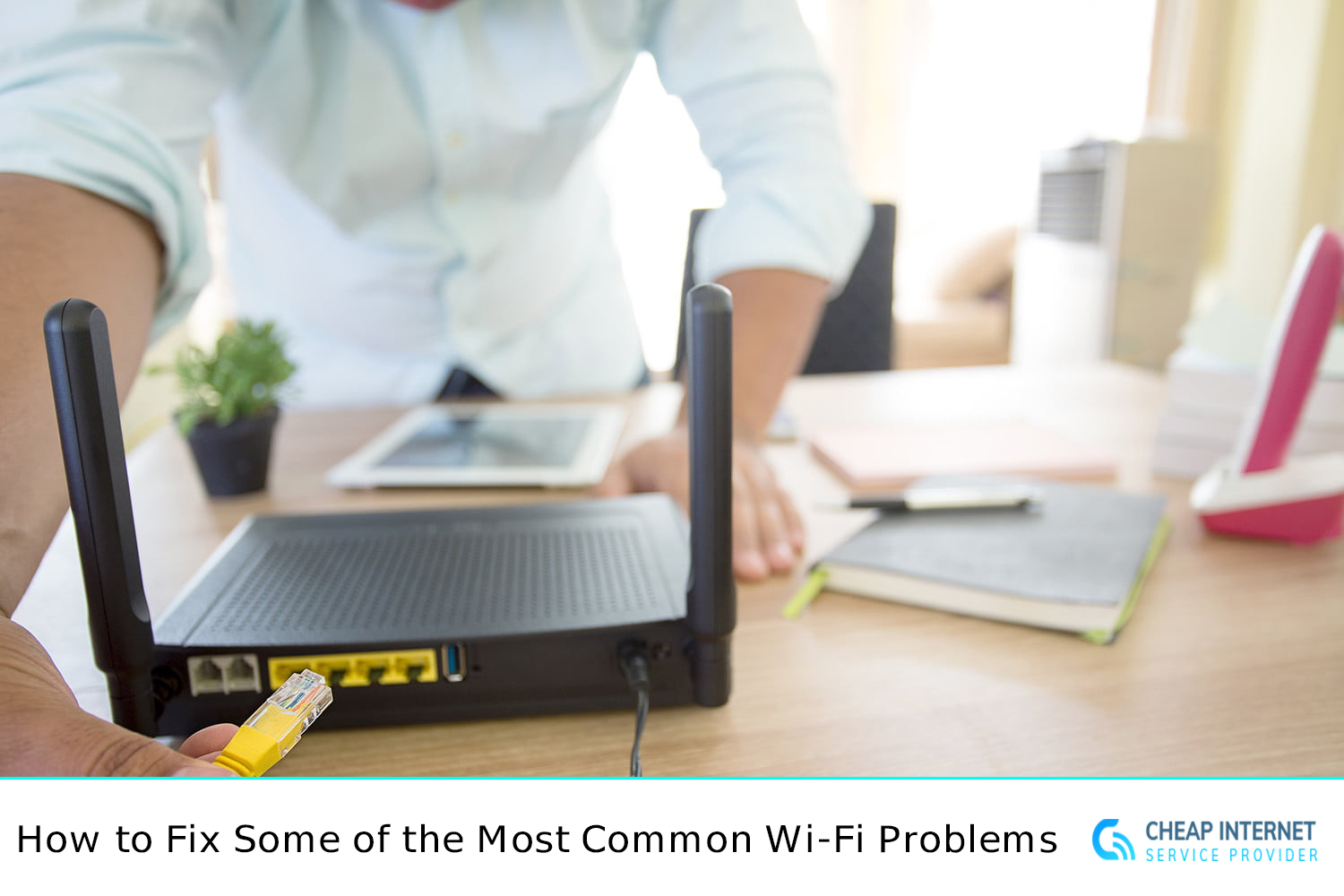
We've become so dependent on Wi-Fi for all that we can't imagine our lives without it. We rarely think twice about being connected until we are without Wi-Fi, whether it is for listening to music, watching our favorite shows, or enabling us to work from the comfort of our own homes.
Are you unsure why your Wi-Fi isn't working? There are several factors that may be to blame. The solution, on the other hand, would be straightforward. It's possible that the router you're using is outdated or in need of a fast reboot. However, there are moments when things get a little more difficult.
Even though losing your wireless connection can cause significant disruption to your daily routine, the majority of wireless-related connection issues are simple to resolve, and you can be back online in no time. When your Wi-Fi connection goes down, you can regain access by resolving some of the most common Wi-Fi issues.
We'll go over some of the most common Wi-Fi issues and how to address them in this blog.
Let's get started!
Internet is slow everywhere
Is your Wi-Fi connection slow, no matter where you are? Try directly connecting a laptop to your modem. You will be able to monitor the speed of your internet in this manner. If you still have poor internet speeds, the issue is most likely with your internet connection rather than your router. In this case, you must contact your Internet Service Provider (ISP).
Isn't that correct? Your devices, or those of any other nearby Wi-Fi network, may be clogging up your current wireless channel. Adjust the router channel in the router settings. However, every router brand does it in a slightly different way.
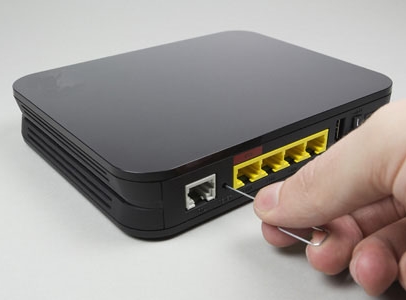
Isn't that insufficient? Don't be concerned! Carrying out a factory test on your Wi-Fi router and resetting it up might be beneficial. There is a "Reset" button on most routers that can be press with a paperclip. Consider doing so for at least 30 seconds, and the factory default router will appear.
In some rooms, internet access is slow or non-existent
Wi-Fi is a type of radio wave that your router sends out in all directions from a central location. Ensure that your router is not located in a remote area of your home. If it is, you will unnecessarily cover a large portion of the outside world. It would be ideal if your router could be relocated to a more central position. You can get better reception in your house if the router is located closer to the middle of the coverage area.
If you have any external antennas? You may even try modifying those. It will help you reach in different directions if you switch between completely vertical and fully horizontal positions. If you live in an apartment complex, there's a chance that other people's routers are messing with yours. Consider using an app to see all nearby Wi-Fi networks. They'll even tell you which channel they're on right now. Switching to a less congested channel (if your router appears to overlap with other networks in certain rooms) is also a good idea if your router appears to intersect with other networks in certain rooms.
Also Read : Wi-Fi Problems? Signs That You Need to Replace Your Router
The Wi-Fi network vanishes completely
Have you lost your Wi-Fi network on some device? It's possible that your router has reset itself. It's possible that an unprotected network named after your router's brand is yours. If you use an Ethernet cable to connect your desktop or laptop to it, that would be ideal.
What could be more aggravating than making your Wi-Fi connection go down? Worse, you're wired to Wi-Fi, but your internet connection is down. You can see the network in your Wi-Fi settings, and you've entered the correct password. Nothing happens when you open the window.
Not able to connect anything to Wi-Fi
Having trouble connecting to the internet? If this is the case, you should consider using an Ethernet cable to connect your laptop directly to the router. Check to see if you can communicate that way. If that solves the problem, your Wi-Fi connection is broken. However, if it does not, the internet connection will be compromised.
Check your ISP's social media accounts by going to their website. You may also contact them to see if they are reporting any issues. ISPs may be reluctant to notice problems that their customers are having. As a result, you can use a tracking website to see if any other users in your area have experienced the same issue.
Also Read: What is a Wi-Fi Router Mesh and Why You Need One?
You've forgotten your Wi-Fi password
You can't remember your Wi-Fi connection's password? If this is the case, you will need to reset your router. To click the hidden switch in the pinhole on the back of the router for at least 30 seconds, use a paperclip. It will then reset to factory defaults.
I hope this blog will assist you in resolving some of the most common issues with your wireless network.
Related Posts
 cheap internet deals
cheap internet plans
cheap internet deals
cheap internet plans
Why Utah and the Mountain West Attract Remote Workers
Discover why Utah and the Mountain West are attracting remote workers with affordable living, reliable internet, lower utility costs, and growth.
 Technology
Why Your Internet Keeps Disconnecting and How to Fix It
Learn why your internet keeps disconnecting and discover proven fixes for router issues, Wi-Fi interference, faulty cables, and network instability.
 Broadband Deals
cheap internet deals
Subscription
Broadband Deals
cheap internet deals
Subscription
Affordable Internet and TV Bundles for the 2026 World Cup
Compare affordable internet and TV bundles for sports fans and enjoy reliable coverage of the 2026 World Cup without overspending.
 Internet Bundles
How to Detect ISP Throttling and Improve Your Internet Speed
Learn how to detect ISP throttling, identify common warning signs, test your connection, and improve internet speed for streaming, gaming, and work.
 cheap internet deals
cheap internet plans
cheap internet offers
cheap internet deals
cheap internet plans
cheap internet offers
Which ISP Offers the Best Long-Term Price Stability?
Compare ISPs with the most stable long-term pricing. Learn how to avoid bill increases, evaluate plans, and choose affordable internet service.