Connect Your Home Phone to Viasat Voice
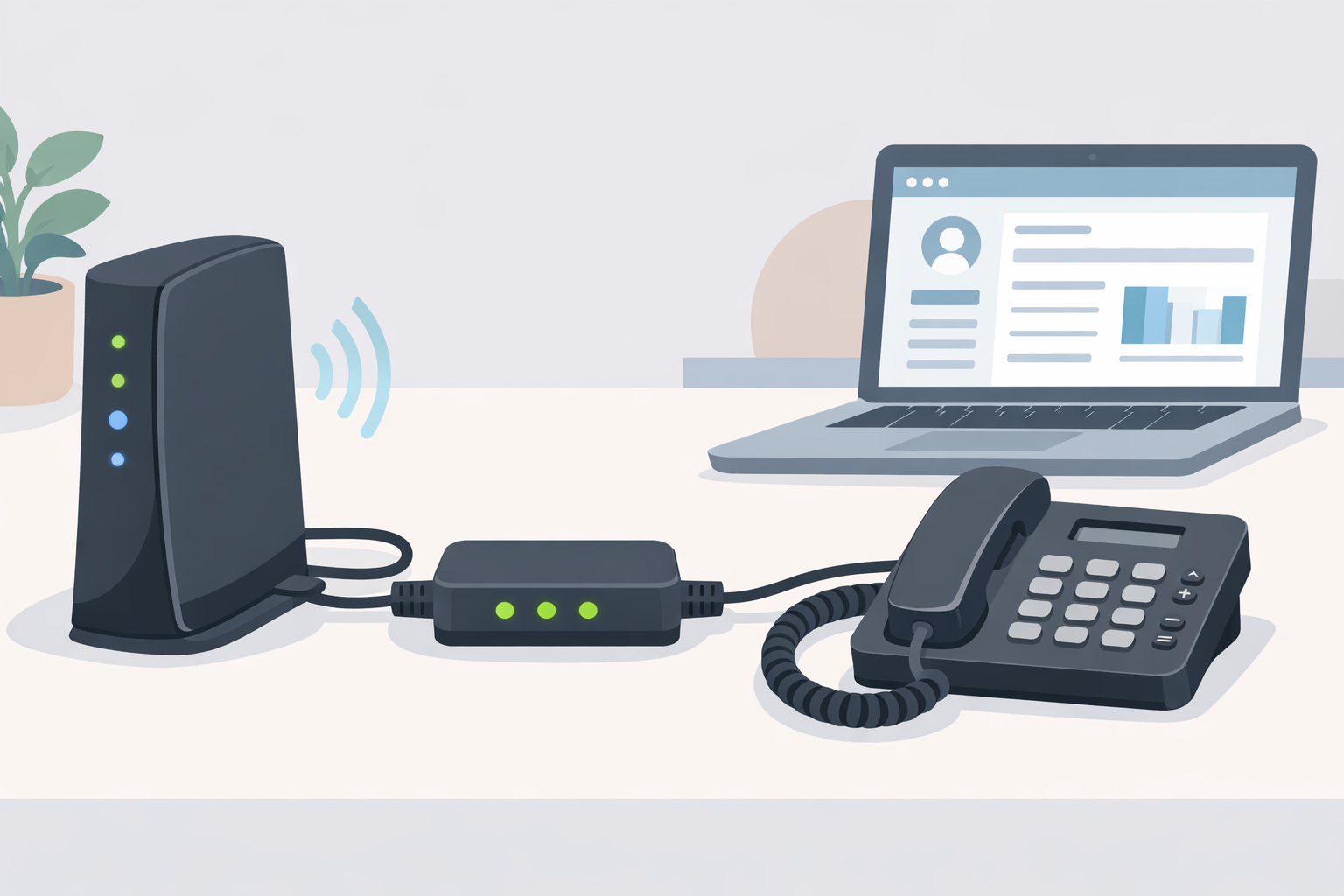
Are you struggling with unreliable phone connections or poor call quality in your area? Viasat Voice offers a reliable solution for crystal-clear phone calls over your satellite internet. Whether you live in a rural area, work remotely, or just want a dependable home phone system, connecting your home phone to Viasat Voice ensures seamless communication. This step-by-step guide will walk you through everything you need to know about setting up Viasat Voice, optimizing your connection, and troubleshooting common issues.
What is Viasat Voice?
Viasat Voice is a Voice over Internet Protocol (VoIP) service that leverages your Viasat satellite internet to provide reliable phone service. Unlike traditional landlines, Viasat Voice allows you to make and receive calls using your internet connection. This makes it especially valuable in rural areas where conventional phone lines may not be available.
Key Features of Viasat Voice
- Clear Call Quality: Enjoy crystal-clear voice calls, even in remote locations.
- Affordable Plans: Cost-effective service without compromising performance.
- Easy Installation: Simple setup with minimal technical knowledge.
- Flexibility: Use your home phone as usual without changing your existing hardware.
For more details about Viasat plans, check out Viasat Exede Satellite Internet Plans & Pricings.
Benefits of Connecting Your Home Phone to Viasat Voice
Adding Viasat Voice to your home setup offers numerous advantages:
- Reliable Communication
Satellite-based service ensures phone connectivity even where traditional phone lines are unreliable. - Cost-Effective Plans
Viasat Voice offers competitive pricing compared to traditional landlines. - Convenience and Flexibility
Set up your home phone quickly and enjoy features like voicemail, call forwarding, and unlimited calling options. - Ideal for Remote Areas
Perfect for rural homes, cabins, and locations with limited infrastructure.
Who Should Consider Viasat Voice?
Viasat Voice is ideal for:
- Families: Stay connected with loved ones, even in remote areas.
- Remote Workers: Ensure a dependable phone line for business calls.
- Viasat Internet Users: Maximize your existing internet setup with added voice services.
- Rural Communities: Overcome the limitations of traditional phone lines.
Understanding Viasat Internet Plans
Before connecting your home phone to Viasat Voice, it’s important to understand your internet plan compatibility. VoIP services like Viasat Voice depend on stable internet, and different plans may offer different levels of service quality.
- Viasat Flex: Optimized for both internet browsing and VoIP calls. Learn more at What You Need to Know About Viasat Flex.
- High-Speed Plans: Ensure smooth voice calls without dropouts.
- Bandwidth Considerations: The more devices sharing your network, the higher the chance of lag.
Checking your plan ensures that your calls will be clear and uninterrupted.
Step-by-Step Guide to Setting Up Viasat Voice
Follow these steps to connect your home phone to Viasat Voice quickly and efficiently.
Step 1: Check Internet Compatibility
Before you purchase Viasat Voice, verify that your internet plan supports VoIP services. Plans like Viasat Flex are best suited for seamless voice calls. You can check compatibility through your Viasat account portal or by contacting customer support.
Step 2: Gather Your Equipment
To set up Viasat Voice, you will need:
- Viasat Voice adapter
- A compatible home phone
- Ethernet cables
- A stable Viasat internet connection
Having all equipment ready will make the installation process smooth and fast.
Step 3: Set Up Your Viasat Voice Adapter
- Unbox the Adapter: Remove the Viasat Voice adapter from its packaging.
- Connect to Your Router: Plug one end of the Ethernet cable into your Viasat router and the other into the adapter.
- Power It Up: Connect the adapter to a power source. Lights on the adapter indicate that it’s ready for use.
Step 4: Connect Your Home Phone
- Plug in Your Phone: Use a standard phone cable to connect your home phone to the Viasat Voice adapter.
- Test the Dial Tone: Pick up the receiver to ensure you hear a dial tone. This confirms your connection is working.
Step 5: Activate Your Viasat Voice Service
Activate the service either through the Viasat customer portal or by contacting their support team. Once activated, your home phone is ready for calls.
How to Optimize Viasat Voice for the Best Call Quality
Even with Viasat’s reliable service, you can take steps to ensure the best call experience:
- Prioritize VoIP Traffic: Adjust your router settings to prioritize VoIP over other internet traffic.
- Use Wired Connections: A wired Ethernet connection provides more stable performance than Wi-Fi.
- Manage Bandwidth Usage: Limit heavy internet activities (like streaming or gaming) during calls to prevent lag.
- Keep Firmware Updated: Ensure your Viasat router and adapter firmware are current for optimal performance.
Troubleshooting Common Viasat Voice Issues
Even the most reliable VoIP services may encounter occasional problems. Here’s how to address them:
- No Dial Tone: Ensure all cables are properly connected and the adapter is powered on.
- Poor Call Quality: Check for heavy internet usage or try using a wired connection.
- Intermittent Service: Restart your router and Viasat Voice adapter.
- Persistent Issues: Contact Viasat customer support for assistance.
Understanding Viasat Flex
Viasat Flex is designed to improve both internet and VoIP performance. This hybrid plan combines satellite and DSL connections, offering:
- Faster upload and download speeds
- Reduced latency for clearer calls
- Flexible data options for families and remote workers
If call quality or internet reliability is a concern, Viasat Flex is worth considering.
Alternative Broadband Options
While Viasat Voice is excellent for rural areas, you may also explore other broadband alternatives:
- DSL or Fiber Internet: Ideal for urban or suburban areas with reliable wired infrastructure.
- Mobile VoIP Apps: For flexible calling without a landline.
- Cable Internet with VoIP Service: Combines high-speed internet with integrated voice features.
Choosing the right plan depends on your location, budget, and call volume.
Frequently Asked Questions (FAQ)
Can I use Viasat Voice without Viasat Internet?
No. Viasat Voice requires a Viasat internet connection to function. It is designed to work with their satellite service for both connectivity and performance.
Is Viasat Voice reliable in rural areas?
Yes. It’s specifically built for remote locations where traditional phone lines may be unreliable or unavailable.
How long does the installation take?
Most setups take less than 30 minutes if you have all the necessary equipment and a compatible phone.
Can I use my existing home phone?
Yes. Viasat Voice works with most standard home phones without the need for additional adapters.
What features are included with Viasat Voice?
Features include voicemail, call forwarding, caller ID, and unlimited local calling, depending on your plan.
Will bad weather affect my calls?
Severe weather may temporarily affect satellite connectivity, but Viasat has systems in place to minimize disruptions.
Conclusion
Connecting your home phone to Viasat Voice is a straightforward and effective way to ensure reliable communication. Whether you live in a rural area, work from home, or simply want a dependable backup phone line, Viasat Voice delivers clear calls and affordable plans. By following this guide—from checking your internet plan to activating your service—you can enjoy seamless communication and take full advantage of Viasat’s satellite technology.
With proper setup, optimization, and troubleshooting techniques, Viasat Voice ensures that staying connected is easier than ever. Don’t let poor call quality disrupt your daily life; switch to Viasat Voice and experience reliable, high-quality phone service at home.
Related Posts
 cheap internet deals
cheap internet plans
cheap internet deals
cheap internet plans
Why Utah and the Mountain West Attract Remote Workers
Discover why Utah and the Mountain West are attracting remote workers with affordable living, reliable internet, lower utility costs, and growth.
 Technology
Why Your Internet Keeps Disconnecting and How to Fix It
Learn why your internet keeps disconnecting and discover proven fixes for router issues, Wi-Fi interference, faulty cables, and network instability.
 Broadband Deals
cheap internet deals
Subscription
Broadband Deals
cheap internet deals
Subscription
Affordable Internet and TV Bundles for the 2026 World Cup
Compare affordable internet and TV bundles for sports fans and enjoy reliable coverage of the 2026 World Cup without overspending.
 Internet Bundles
How to Detect ISP Throttling and Improve Your Internet Speed
Learn how to detect ISP throttling, identify common warning signs, test your connection, and improve internet speed for streaming, gaming, and work.
 cheap internet deals
cheap internet plans
cheap internet offers
cheap internet deals
cheap internet plans
cheap internet offers
Which ISP Offers the Best Long-Term Price Stability?
Compare ISPs with the most stable long-term pricing. Learn how to avoid bill increases, evaluate plans, and choose affordable internet service.