Comparing Data Usage Across Popular Apps and Services
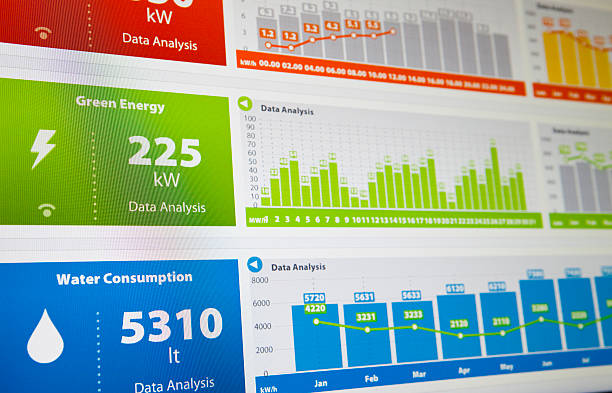
Managing data usage is essential, especially with the variety of apps and services that consume data in different ways. From streaming high-definition videos to scrolling through social media, understanding how much data these activities require can help you make the most of your data plan. In this guide, we’ll compare data usage across popular apps and services, and explore some tools and tips to help manage your data allowance more effectively.
Why Data Usage Matters
Data usage impacts both cost and accessibility. For users with limited data plans, running out of data too early in the billing cycle can result in additional charges or slowdowns. Even unlimited plans can be throttled once you reach certain thresholds, reducing speed and performance.
If you're uncertain about how much data you’re actually using, try out this data calculator for an easy way to estimate your monthly data needs based on your favorite activities.
How Much Data Do Popular Apps and Services Use?
Data usage varies widely between different types of applications and the specific activities within each. Let’s break down the data consumption of some popular apps and services.
1. Streaming Services: Video and Music
Streaming is one of the most data-intensive activities. Here’s a look at the data usage of common streaming services:
- Netflix: Watching Netflix in standard definition (SD) uses about 1 GB per hour, while high definition (HD) requires 3 GB per hour. Ultra HD, or 4K, consumes about 7 GB per hour.
- YouTube: YouTube in SD uses around 0.7 GB per hour, HD uses roughly 1.5 GB per hour, and 4K can use up to 7.2 GB per hour.
- Spotify and Music Streaming: Audio streaming is much lighter on data, with platforms like Spotify using around 1 GB for every 24 hours of music streamed at standard quality.
If you’re a frequent streamer, especially of HD or 4K video, consider adjusting your settings to lower resolutions to save on data usage.
2. Social Media Apps
Social media is a frequent data consumer, especially with video-based content. Here’s an overview of data usage for popular platforms:
- Facebook: Facebook’s data usage depends on your activity, but it averages around 90 MB per hour with moderate usage. Videos, especially autoplay videos, can significantly increase data consumption.
- Instagram: Instagram uses approximately 700 MB per hour of browsing, due to high-resolution images and videos.
- TikTok: TikTok’s video-centric platform consumes an average of 840 MB per hour, depending on the quality of the videos you’re watching.
If you want to learn more about how these background activities can drain your data without you even noticing, read this guide on how background apps affect data usage.
3. Video Calling and Communication Apps
With the rise of remote work and virtual meetings, apps like Zoom and FaceTime have become essential. Here’s what to expect in terms of data usage:
- Zoom: Zoom’s data usage varies by quality—around 540 MB per hour for 1-on-1 video calls at standard quality and up to 1.62 GB per hour for high-definition group calls.
- FaceTime: FaceTime video calls use approximately 180 MB for every hour of conversation on a standard quality call.
- WhatsApp and Messenger: These messaging platforms use minimal data for text, but video calls can consume between 200-300 MB per hour depending on quality.
Limiting video quality in these apps can make a substantial difference in data usage, especially for frequent users.
4. Gaming Apps
Gaming apps have varying data demands based on the type of game and whether it’s played online. For instance:
- Fortnite: Online gaming on Fortnite uses around 100 MB per hour, relatively low compared to streaming.
- Mobile Puzzle Games: Games like Candy Crush or Wordscapes generally use negligible data, as they are not reliant on constant internet connections.
- Multiplayer Games: Online games like Call of Duty Mobile or PUBG may require up to 1 GB per hour of gameplay, depending on updates and in-game activities.
5. Browsing and Email
For lighter activities like browsing or checking emails, data usage is relatively low:
- Web Browsing: General browsing uses about 60 MB per hour, but data consumption varies based on website content.
- Email: Checking emails without attachments uses a negligible amount of data, but downloading attachments, images, or large files can increase usage.
If you want to learn more about managing data for different apps and services, read this comprehensive guide on managing your data allowance to avoid hitting data limits.
Tips for Managing Data Usage Across Apps
Understanding data usage is one thing; managing it effectively is another. Here are some top strategies to keep your data usage under control:
Adjust Streaming Quality
Most streaming platforms allow users to adjust the quality of video or audio. Lowering video resolution or audio quality can help save significant data, especially on mobile networks.
Monitor and Restrict Background Data
Background data is data that apps use even when they aren’t open. Disabling background data for certain apps can reduce unnecessary data consumption. For more insights, take a look at how background apps affect data usage.
Use Wi-Fi Whenever Possible
One of the simplest ways to save on mobile data is to use Wi-Fi whenever it’s available, particularly for high-data activities like streaming and gaming.
Track Data with a Calculator
Estimating your monthly data usage can help you choose the best plan. Try using a data calculator to get a better understanding of how much data your favorite apps require and which activities consume the most.
Turn Off Autoplay for Videos
Many social media platforms and websites use autoplay to start videos automatically. Turning off autoplay, especially on mobile devices, can save substantial data over time.
Conclusion: Know Your Data Needs to Make Smart Choices
Whether you’re streaming videos, browsing social media, or making video calls, understanding the data requirements of your favorite apps can help you make informed decisions about your data usage. By using tools like a data calculator and employing strategies to manage your data allowance, you can enjoy all your favorite apps without worrying about hitting data limits or incurring overage fees.
Being aware of data usage can not only save money but also improve your experience across apps by minimizing interruptions. With the right plan and habits, you can make the most of your data allowance.
Related Posts
 cheap internet deals
cheap internet plans
cheap internet deals
cheap internet plans
Why Utah and the Mountain West Attract Remote Workers
Discover why Utah and the Mountain West are attracting remote workers with affordable living, reliable internet, lower utility costs, and growth.
 Technology
Why Your Internet Keeps Disconnecting and How to Fix It
Learn why your internet keeps disconnecting and discover proven fixes for router issues, Wi-Fi interference, faulty cables, and network instability.
 Broadband Deals
cheap internet deals
Subscription
Broadband Deals
cheap internet deals
Subscription
Affordable Internet and TV Bundles for the 2026 World Cup
Compare affordable internet and TV bundles for sports fans and enjoy reliable coverage of the 2026 World Cup without overspending.
 Internet Bundles
How to Detect ISP Throttling and Improve Your Internet Speed
Learn how to detect ISP throttling, identify common warning signs, test your connection, and improve internet speed for streaming, gaming, and work.
 cheap internet deals
cheap internet plans
cheap internet offers
cheap internet deals
cheap internet plans
cheap internet offers
Which ISP Offers the Best Long-Term Price Stability?
Compare ISPs with the most stable long-term pricing. Learn how to avoid bill increases, evaluate plans, and choose affordable internet service.