Back-To-School Online Safety: 10 Tips For Parents

Kids are back to school and most students are learning at home or maybe taking a class to libraries. As the schools start, It is important to take security measures to help their devices whether it is a PC, tablet, smartphone, or laptop.
Explain to your children about the risk of using the internet. Tell them what are things should not do while browsing the internet. Here are things you need to discuss with your children to prevent them from danger.
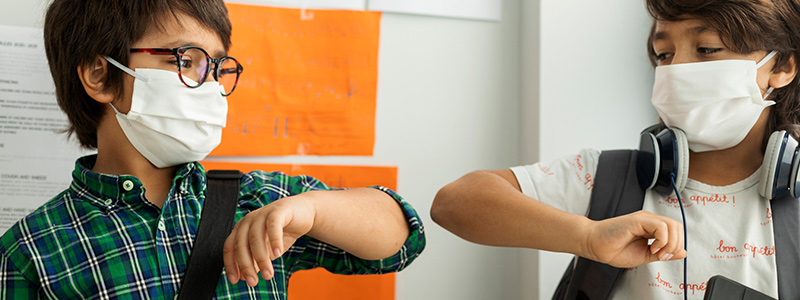
Tips to Protect Students Online
1. Personal Information
Tell your kids not to share personal information with strangers in forums, web pages, or chat rooms. This includes phone numbers, emails, webcam, locations, selfies, and physical appearance.
2. Don' Visit Page that Cost Money
Never browse web pages that cost money, do not area that requires personal information, phone number, asking to upload images or credit card details.
3. Email Awareness
Do not download or clink links sent via emails, social media, or IM. Investigate the link with first if it is legitimate. Do not allow download or files from another user online.
4. Sharing Information
Do not share your friend's and family's personal information online. Never send selfies with your friends, talk about sex or tease someone you don't know.
5. Think Before You Selfie
Never post provocative images on social media. Posting all those selfies online could backfire that will hurt your reputation.
6. Update Antivirus
Update your malware and virus scanner regularly of each family device. This avoids your devices to get infected by viruses that will from your personal information getting leaked.
7. Always keep automatic updates on
Updating software regularly will keep your installed software up to date, by doing this, your programs will run smoothly.
8. Phishing
Teach your kids to pay attention to the URL of pages they are browsing. Inform and discuss phishing so they can identify what and malicious activities.
9. Cover Webcam
Cover your webcam even if it's not activated. This will protect your kids from spying. Only use your webcam when it is necessary.
10. Strong Passwords
Guide your kids when creating logins especially password
Doing this safety measure will help your kids learning and most importantly protecting your kids online ativities.
Related Posts
 Safety
How to Shop Online Safely and Avoid Common Scams
Learn how to shop safely online by avoiding scams, protecting personal data, securing payments, and building smart long-term shopping habits.
 Regulations
Safety
Regulations
Safety
What Is Background Data Usage? Pros and Cons Explained
Learn what background data usage is, its benefits and drawbacks, how it affects internet consumption, and practical ways to reduce data usage.
 Regulations
Technology
Regulations
Technology
Why Fiber Internet Coverage Remains Limited in Some Areas
Learn why fiber internet is still unavailable in many areas, from infrastructure costs to regulations, and what alternatives exist while waiting for expansion.
 cheap internet plans
Subscription
cheap internet plans
Subscription
Frontier TV and Internet Packages Worth Considering Today
Explore Frontier TV and internet packages, compare speeds, features, bundle benefits, pricing options, and find the right plan for your home.
 cheap internet offers
How to Find Cheap Internet That Doesn't Feel Cheap
Learn how to get affordable internet without sacrificing speed. Compare providers, optimize your network, and save on your monthly bill with smart strategies.